How do I adjust my Levels of Undo?
Updated on
Open the Preferences Window
- In the top menu, do one of the following:
- In Windows, click Edit > Preferences…
- In macOS click Storyboard Pro > Preferences…
- The Preferences dialog box opens:
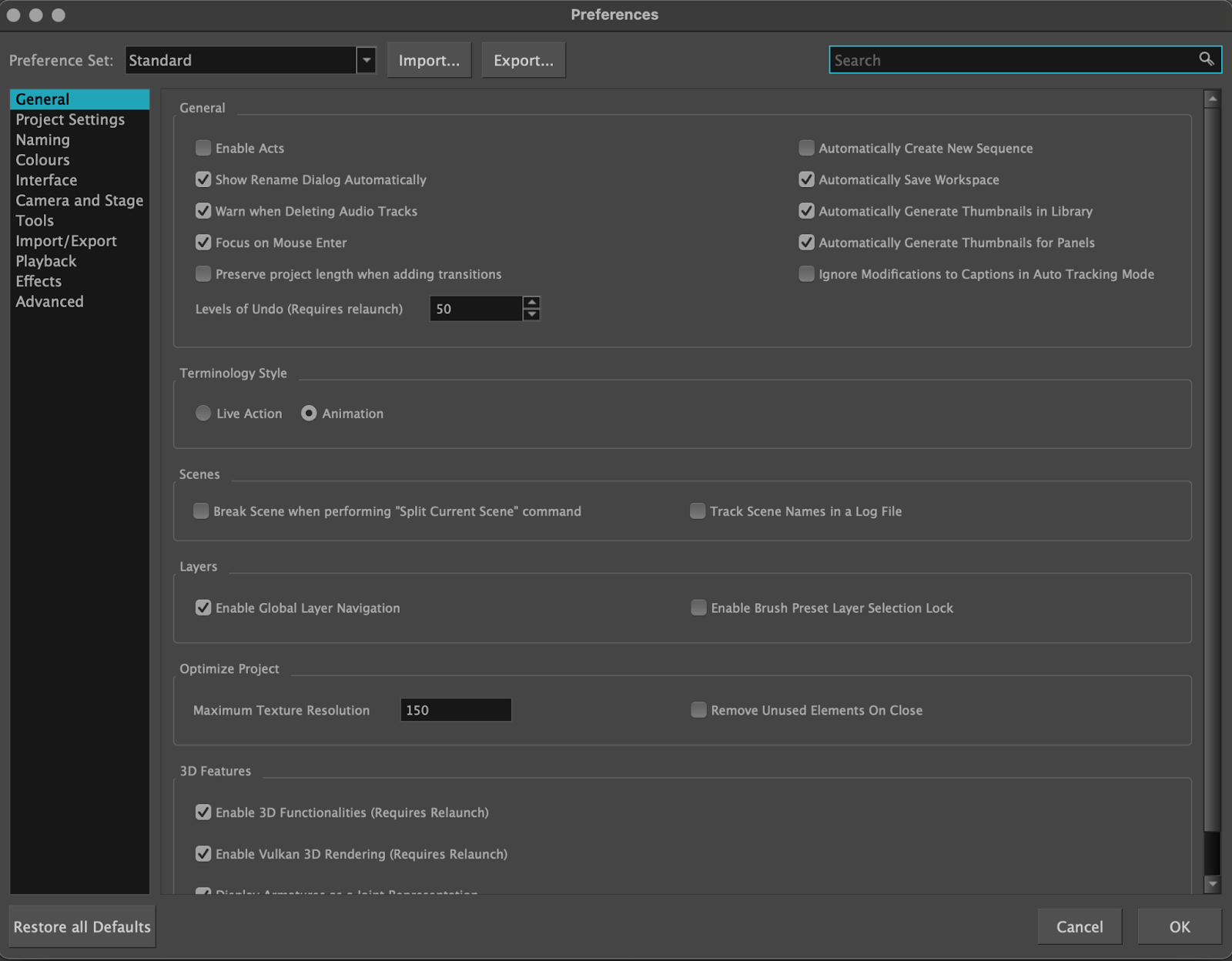
Step 2: Adjust the Levels of Undo
- In the Preferences window, click on the General tab and locate the Levels of Undo option at the bottom of the General section.
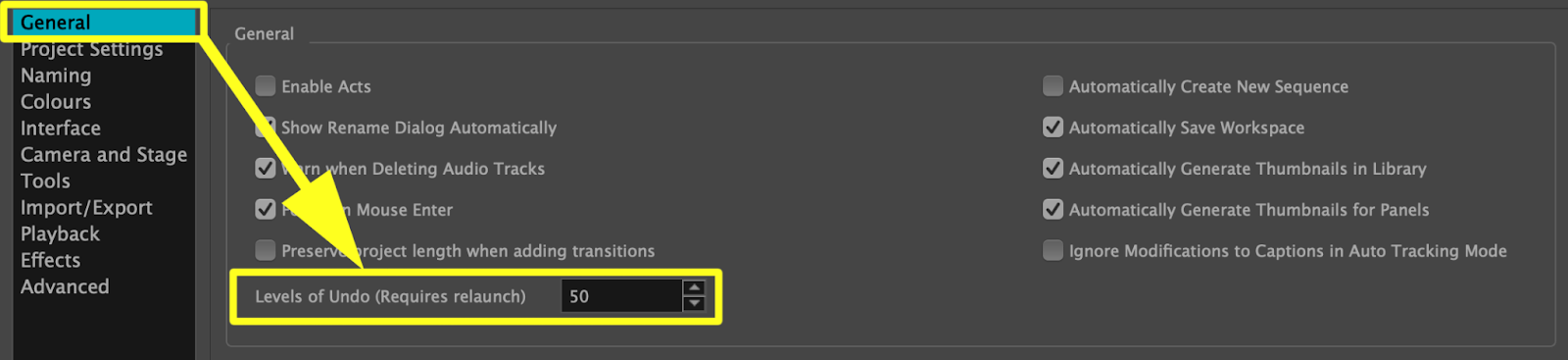
- Enter the number of undo levels you require in the provided input box.
- Click OK to save your preferences.
- Relaunch Storyboard Pro for the new undo levels to take effect.
| NOTE: More than 200 levels of undo can negatively impact the performance of Storyboard Pro. |
Was this article helpful?
0 out of 0 found this helpful
 |
Help Centre
|
Help Centre